Log management tools are like a digital diary for your entire computer network. Every time a server starts, a user logs in, or an error occurs in a website’s code, a “log” is created. In the past, these logs were hidden in separate files across dozens of different machines. Log management tools change this by gathering all those records into one central place. They allow you to search, filter, and analyze these events to understand what is happening inside your technology. Think of it as a search engine for your company’s internal digital tracks.
The importance of these tools cannot be overstated. When a website crashes or a security breach occurs, the logs are the first place experts look to find out what happened. Without a proper tool, finding the cause would take hours or even days. Real-world use cases include troubleshooting a slow database, monitoring for suspicious login attempts from unknown countries, and proving to auditors that your company is following data safety rules. When choosing a tool, you should look for its “ingestion” speed (how fast it can collect data), how easy it is to search through millions of lines of text, and how long it can store that data without getting too expensive.
Best for:
- System Administrators and DevOps Engineers: People who need to keep the lights on and fix things when they break.
- Security Teams (SOC): Those who watch for hackers and unusual patterns that suggest a cyber-attack.
- Compliance Officers: Companies in banking or healthcare that must keep records of every digital action by law.
- Mid-size to Large Enterprises: Any business running multiple servers or cloud services.
Not ideal for:
- Tiny Websites: If you only have one small blog, the built-in logs on your server are usually enough.
- Non-Technical Business Owners: These tools require a basic understanding of how servers work; they aren’t meant for marketing or sales tracking.
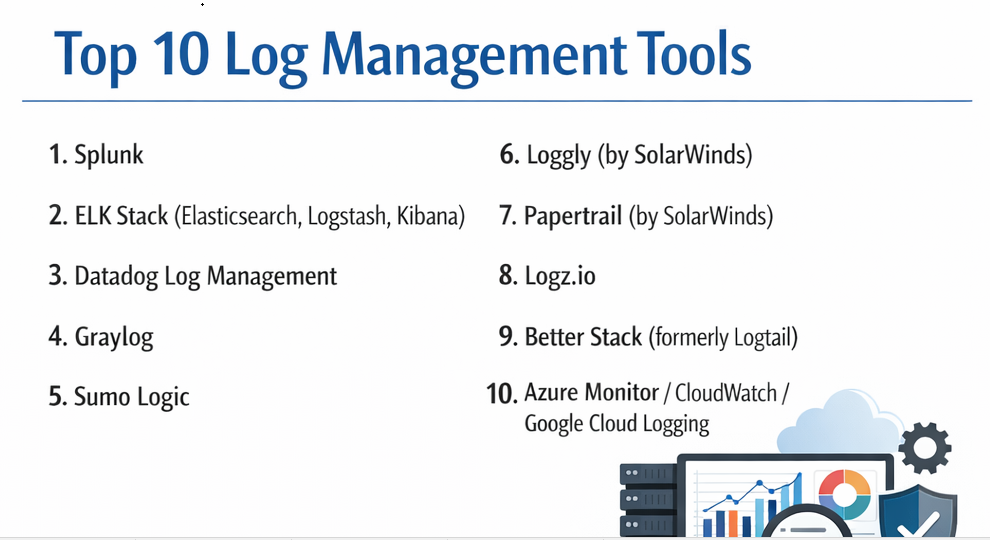
Top 10 Log Management Tools
1 — Splunk
Splunk is often called the “Google for log data.” It is a massive, powerful platform that can take in almost any kind of data and turn it into searchable insights and beautiful charts.
- Key features:
- Powerful search language (SPL) for complex data digging.
- Real-time monitoring and alerting based on specific triggers.
- Automatic discovery of data patterns using machine learning.
- Hundreds of “Apps” to connect with other software like Cisco or AWS.
- High-level security features for protecting sensitive logs.
- Ability to handle petabytes of data for giant corporations.
- Pros:
- It is incredibly fast at searching through massive amounts of old data.
- The community is huge, meaning there is an answer online for every possible problem.
- Cons:
- It is very expensive, especially as you send it more data.
- It takes a long time to learn how to use the advanced search features.
- Security & compliance: SOC 2 Type II, ISO 27001, HIPAA, and GDPR compliant.
- Support & community: Top-tier enterprise support, a massive “Splunk Answers” forum, and extensive training certifications.
2 — ELK Stack (Elasticsearch, Logstash, Kibana)
The ELK Stack is the most popular open-source choice. It is actually three different tools working together to collect, store, and show your log data.
- Key features:
- Elasticsearch acts as the heart for storing and searching data.
- Logstash collects and cleans up data from different sources.
- Kibana provides the visual dashboard for making graphs.
- Highly flexible and can be customized for any need.
- Supported by a wide range of “Beats” (small agents that collect data).
- Can be hosted on your own servers or in the cloud.
- Pros:
- The basic version is free, which is great for teams with more time than money.
- It is very good at “full-text search,” making it easy to find specific error messages.
- Cons:
- Managing your own ELK cluster is very difficult and requires expert staff.
- It can use up a lot of server memory and storage space quickly.
- Security & compliance: Varies (Self-hosted security depends on the user; Elastic Cloud is SOC 2 and GDPR compliant).
- Support & community: Massive global community; professional support is available via Elastic NV subscriptions.
3 — Datadog Log Management
Datadog is a cloud-based tool that is famous for bringing logs, performance metrics, and security all into one single “pane of glass.”
- Key features:
- “Logging without Limits” allows you to collect data and only pay for what you search.
- Seamlessly links a log entry to a performance spike in a chart.
- Drag-and-drop dashboard builder for non-experts.
- Automatic “tagging” of logs to keep them organized by team or project.
- Strong focus on modern “cloud-native” apps like those on AWS or Kubernetes.
- Pros:
- Very easy to set up and start seeing data in minutes.
- Great for teams that want one tool for everything (monitoring and logs).
- Cons:
- The pricing can be very confusing because it has many different parts.
- If you have a lot of data, the costs can surprise you at the end of the month.
- Security & compliance: SOC 2, GDPR, HIPAA, and ISO 27001 compliant.
- Support & community: Excellent documentation and 24/7 technical support for all customers.
4 — Graylog
Graylog is a powerful alternative to the ELK stack that focuses on being easier to use for humans while still being free or affordable.
- Key features:
- A very user-friendly web interface for searching logs.
- Built-in “Content Packs” to quickly set up logs for things like Windows or Linux.
- Fast alerting system that can send messages to Slack or email.
- Role-based access to keep sensitive logs away from unauthorized eyes.
- Powerful data “enrichment” (e.g., turning an IP address into a country name).
- Pros:
- Searching is often faster and more intuitive than in the ELK stack.
- The free “Open” version is very capable for many mid-sized businesses.
- Cons:
- It isn’t as good at making “pretty” complex visualizations as Kibana.
- Setting up the initial data inputs can be a bit technical.
- Security & compliance: Supports SSO, audit logs, and is GDPR compliant.
- Support & community: Strong community forum and professional support for “Enterprise” users.
5 — Sumo Logic
Sumo Logic is a “cloud-native” tool, meaning it was built specifically to live in the cloud. It is designed to be very secure and to handle data from modern web apps.
- Key features:
- Multi-tenant architecture that is very secure from the ground up.
- “LogReduce” feature that uses AI to group thousands of logs into a few patterns.
- Deep integration with cloud providers like AWS, Azure, and Google Cloud.
- Built-in security monitoring (SIEM) features.
- No hardware to manage; everything is handled in their cloud.
- Pros:
- It is very secure and is a favorite for companies with strict legal requirements.
- The AI features save engineers a lot of time by finding “weird” logs automatically.
- Cons:
- You have no control over where the data is stored (it must be in their cloud).
- The search language has a learning curve similar to Splunk.
- Security & compliance: PCI DSS, SOC 2 Type II, HIPAA, GDPR, and FedRAMP.
- Support & community: Good documentation and professional training through “Sumo Logic Dojo.”
6 — Loggly (by SolarWinds)
Loggly is a simple, effective tool for developers who want to manage logs without spending days learning a complex new language.
- Key features:
- Agentless collection (you can send logs without installing extra software).
- A “Dynamic Field Explorer” that lets you click through data like a menu.
- Simple charts and graphs that are easy to understand.
- Automated log summaries sent to your email.
- Focus on web application logs (PHP, Python, Java, etc.).
- Pros:
- Very fast to get started; perfect for small-to-medium dev teams.
- The pricing is more predictable than many other cloud tools.
- Cons:
- It lacks the advanced “big data” power of Splunk or Datadog.
- It is not the best choice for very large enterprises with massive data needs.
- Security & compliance: SOC 2 and GDPR compliant.
- Support & community: Backed by SolarWinds support; good help articles available.
7 — Papertrail (by SolarWinds)
Papertrail is loved by developers for its simplicity. It feels like a real-time “stream” of data, making it great for watching logs as they happen during a live fix.
- Key features:
- Extremely fast real-time log tailing (watching logs live).
- Simple “Google-like” search bar for finding text.
- Can group logs by “systems” or “groups” very easily.
- Clickable elements in logs (like IP addresses) to find related data.
- Very lightweight and doesn’t slow down your servers.
- Pros:
- It is probably the easiest tool on this list to use.
- The “Live Tail” feature is excellent for developers fixing bugs in real-time.
- Cons:
- It doesn’t have advanced analytics or complex charting features.
- Not suitable for long-term data storage for legal compliance.
- Security & compliance: Encryption in transit and at rest; GDPR compliant.
- Support & community: Direct email support and very clear “getting started” guides.
8 — Logz.io
Logz.io provides the famous ELK stack as a service. It gives you the power of open-source tools without the headache of managing the servers yourself.
- Key features:
- Based on the open-source ELK stack and Grafana.
- “Cognitive Insights” uses AI to warn you about known bugs found in logs.
- “Data Optimizer” helps you drop useless logs so you don’t pay for them.
- Built-in security tools (SIEM) that follow the same open-source style.
- Archiving features for sending old logs to cheap storage (like AWS S3).
- Pros:
- If you already know how to use Kibana, there is zero learning curve.
- It is much easier than running your own ELK cluster.
- Cons:
- You are still limited by the quirks of the ELK stack software.
- The costs can still be high if you don’t use the “optimizer” tools.
- Security & compliance: SOC 2 Type II, HIPAA, ISO 27001, and GDPR compliant.
- Support & community: 24/7 live chat support and a very helpful blog for engineers.
9 — Better Stack (formerly Logtail)
Better Stack is a modern, fast tool that focuses on performance and a very clean, simple interface. It is built on a very fast database called ClickHouse.
- Key features:
- SQL-based searching (many people already know how to use SQL).
- Beautiful, high-speed user interface that feels like a modern app.
- Connects logs directly to an uptime monitor and on-call alerts.
- Extremely fast search speeds even for large amounts of data.
- Simple pricing based on data volume.
- Pros:
- The “SQL” search makes it very easy for anyone with database skills to use.
- It looks and feels much more modern than older tools like Splunk.
- Cons:
- It is a newer company, so it has fewer integrations than the “giants.”
- It doesn’t have as many complex enterprise features as Sumo Logic.
- Security & compliance: SOC 2 Type II and GDPR compliant.
- Support & community: Excellent chat support and very modern documentation.
10 — Azure Monitor / CloudWatch / Google Cloud Logging
These are the “native” tools provided by the big cloud companies. If your entire company lives inside one of these clouds, these tools are often the easiest choice.
- Key features:
- Built directly into the cloud platform with no setup required.
- Seamless integration with all other cloud services (like virtual machines).
- Ability to trigger “Functions” or “Lambdas” automatically based on a log.
- Dashboards that combine logs with billing and server health.
- Long-term archiving into cheap cloud storage.
- Pros:
- You don’t have to install any “agents” or worry about security setup.
- The billing is simply added to your existing cloud bill.
- Cons:
- They are “locked” to that one cloud; it’s hard to see logs from other places.
- The interfaces can be very clunky and confusing for beginners.
- Security & compliance: Extremely high (FedRAMP, HIPAA, SOC, GDPR, etc.).
- Support & community: Supported by the world’s largest tech companies.
Comparison Table
| Tool Name | Best For | Platform(s) Supported | Standout Feature | Rating |
| Splunk | Giant Corporations | Any (Cloud/On-Prem) | Powerful Search (SPL) | 4.5 / 5 |
| ELK Stack | Tech-Savvy Teams | Any (Self-Hosted) | Open-Source Flexibility | 4.4 / 5 |
| Datadog | Modern Cloud Apps | Cloud-Native | Full Stack Integration | 4.6 / 5 |
| Graylog | Mid-Market / Free | Linux (On-Prem) | Simple UI / Free Option | 4.3 / 5 |
| Sumo Logic | High Security Needs | Cloud (SaaS) | “LogReduce” AI | 4.4 / 5 |
| Loggly | Smaller Dev Teams | Cloud (SaaS) | Interactive Explorer | 4.1 / 5 |
| Papertrail | Live Troubleshooting | Cloud (SaaS) | Real-time Live Tail | 4.2 / 5 |
| Logz.io | ELK as a Service | Cloud (SaaS) | AI Cognitive Insights | 4.4 / 5 |
| Better Stack | Speed & SQL Users | Cloud (SaaS) | SQL-Based Searching | 4.5 / 5 |
| Cloud Native | Single-Cloud Users | AWS/Azure/GCP | Zero-Setup Ingestion | 4.0 / 5 |
Evaluation & Scoring of Log Management Tools
To pick the best tool, we look at what actually matters in a busy work environment. We use this weighted rubric to score each tool fairly:
| Category | Weight | What it Means |
| Core Features | 25% | Can it search, alert, and store data well? |
| Ease of Use | 15% | Is the interface clean? Do you need a PhD to use it? |
| Integrations | 15% | Does it talk to AWS, Windows, Slack, and your code? |
| Security & Compliance | 10% | Does it have SOC 2, HIPAA, and strong encryption? |
| Performance | 10% | Is the search fast when you have 1 billion logs? |
| Support & Community | 10% | Is there help available when you get stuck? |
| Price / Value | 15% | Is it affordable for what it provides? |
Which Log Management Tool Is Right for You?
The “best” tool doesn’t exist; there is only the “best tool for your current situation.” Here is how to decide.
Based on Your Team Size
- Solo Users & Very Small Teams: If you are just one person, go with Papertrail or Better Stack. They are simple, fast, and won’t take up your whole day with setup.
- Small to Medium Businesses (SMBs): Logz.io or Graylog are excellent choices. They give you “big company” power without the “big company” price tag.
- Large Enterprises: If you have thousands of employees and a huge budget, Splunk or Sumo Logic are the standards for a reason. They can handle the weight and the security audits.
Budget vs. Premium
- Budget-Conscious: If you have more time than money, the ELK Stack (self-hosted) is the way to go. If you want a managed service that is still cheap, check out Better Stack or the free version of Graylog.
- Premium Solutions: If saving your engineers’ time is more important than the monthly bill, Datadog or Dynatrace provide so much automation that they usually pay for themselves in saved labor.
Technical Skills
- The Coding Experts: If your team loves writing scripts, the ELK Stack or Splunk will let them do anything they can imagine.
- The “I Just Want it to Work” Team: If you don’t want to learn a new language, Better Stack (using SQL) or Loggly (using a menu) are much friendlier.
Security and Location
If you work in a hospital or a bank, you might have to keep your data on your own servers. In that case, Graylog or a self-hosted ELK Stack are your only real options. If you are a modern web startup, a cloud-native tool like Sumo Logic is much easier.
Frequently Asked Questions (FAQs)
1. What is the difference between log management and SIEM?
Log management is about gathering and searching data. SIEM (Security Information and Event Management) is a layer on top of logs that specifically looks for hackers and security threats.
2. Can I use these tools to monitor my website’s speed?
Yes, some tools like Datadog do both. However, log tools usually show you the cause of a slowdown (like an error message), while monitoring tools show you the speed itself.
3. Do these tools slow down my application?
Most use “asynchronous” collection, which is a fancy way of saying they take the logs in the background without bothering your main website. The impact is usually tiny.
4. How long should I keep my logs?
For fixing bugs, 7 to 14 days is usually enough. For security and legal reasons, many companies are required to keep logs for 1 year or more in “cold storage.”
5. What is a “structured” log?
A structured log is organized like a spreadsheet (e.g., UserID: 10, Action: Login). “Unstructured” logs are just plain text. Structured logs are much faster to search.
6. Is the ELK stack really free?
The software is free, but you have to pay for the servers to run it and the electricity to keep them on. Often, the “free” version costs more in human labor than a paid tool.
7. Can I send logs from my office’s physical firewalls?
Yes, almost all these tools support a standard called “Syslog,” which is what physical hardware like routers and firewalls use to send data.
8. What happens if my internet goes down?
Most good tools use “buffering.” They will save the logs on your server for a little while and then send them all at once when the internet comes back.
9. What is “log ingestion”?
Ingestion is the process of the tool “swallowing” the data you send it. Many companies charge you based on how many Gigabytes (GB) you ingest every day.
10. Why is Splunk so much more expensive than others?
Splunk is an all-in-one platform with thousands of features that smaller tools don’t have. You are paying for the most advanced data engine in the world.
Conclusion
Log management is the “black box” of the digital world. Just like an airplane’s black box helps investigators understand a crash, these tools help you understand exactly what happened in your software’s past.
The key is to remember that there is no one-size-fits-all.
- Choose Splunk for ultimate power and enterprise security.
- Choose ELK Stack for open-source flexibility.
- Choose Datadog for a modern, all-in-one cloud experience.
- Choose Better Stack or Papertrail for speed and simplicity.
Don’t wait for a major crash to decide on a tool. Pick one today, start sending a small amount of data, and you will be amazed at how much you learn about your own systems.